Parcel dimensioning and profiling
For e-commerce and logistics, InSiSo Model Bench and InSiSo Visual Detector together profile parcels on a conveyor. The model finds every parcel at any angle. The system measures it in 2D or 3D, reads its barcode, and keeps a photo. Results go to the ctrlX Data Layer, where the PLC or the warehouse system reads them.
Model Bench is where the parcel model is trained, checked and exported. Measurement in Model Bench needs the Pro edition.
What a parcel profile contains
| Value | Where it comes from | Edition |
|---|---|---|
| Parcel present, count, position and orientation | Parcel model trained in Model Bench, run by Visual Detector | Standard (CPU); Pro on Hailo |
| Length and breadth, with a squareness check (2D) | One camera above the belt, with a known scale | Pro |
| Length, breadth and height (3D) | Helios2 ToF camera above the belt | Pro |
| Barcode | Read by Visual Detector | — |
| Photo of the parcel | Embedded in the Excel record, one per parcel | Pro |
| Record per parcel | Tools ▸ Export Measurements to CSV… or Tools ▸ Export Measurements to Excel (with photos)… | Pro |
2D or 3D
| 2D | 3D | |
|---|---|---|
| Camera | Any 2D camera looking straight down | LUCID Helios2 ToF |
| Measures | Length and breadth | Length, breadth and height |
| Needs | A fixed scale in mm per pixel, or the camera's depth and field of view | Nothing extra: the geometry comes with the capture |
| Best for | Flat items, envelopes and fixed-height lines | Mixed parcel sizes, and volume |
How it works
- Capture parcels. Take images or ToF captures on the real line. 3D Images Point Cloud Upload adds ToF captures to a project.
- Label them. Outline each parcel with a rotated box (O) or a four-corner polygon.
- Train. Tick Predict package corners (length & breadth) so the model returns the four corners it measures from. This option cannot be added later.
- Export and deploy. Export the model and run it in Visual Detector. On a ctrlX CORE X7 with Hailo-8, a parcel model with package corners runs in 13.05 ms per frame.
- Read the results from the ctrlX Data Layer in the PLC or the warehouse system.
- Bring production frames back. Import captures from the device, correct them, retrain.
In Model Bench
2D. Select a parcel's rotated box, choose Orthorectified — scale (mm/px), enter the scale and click Measure Selected.
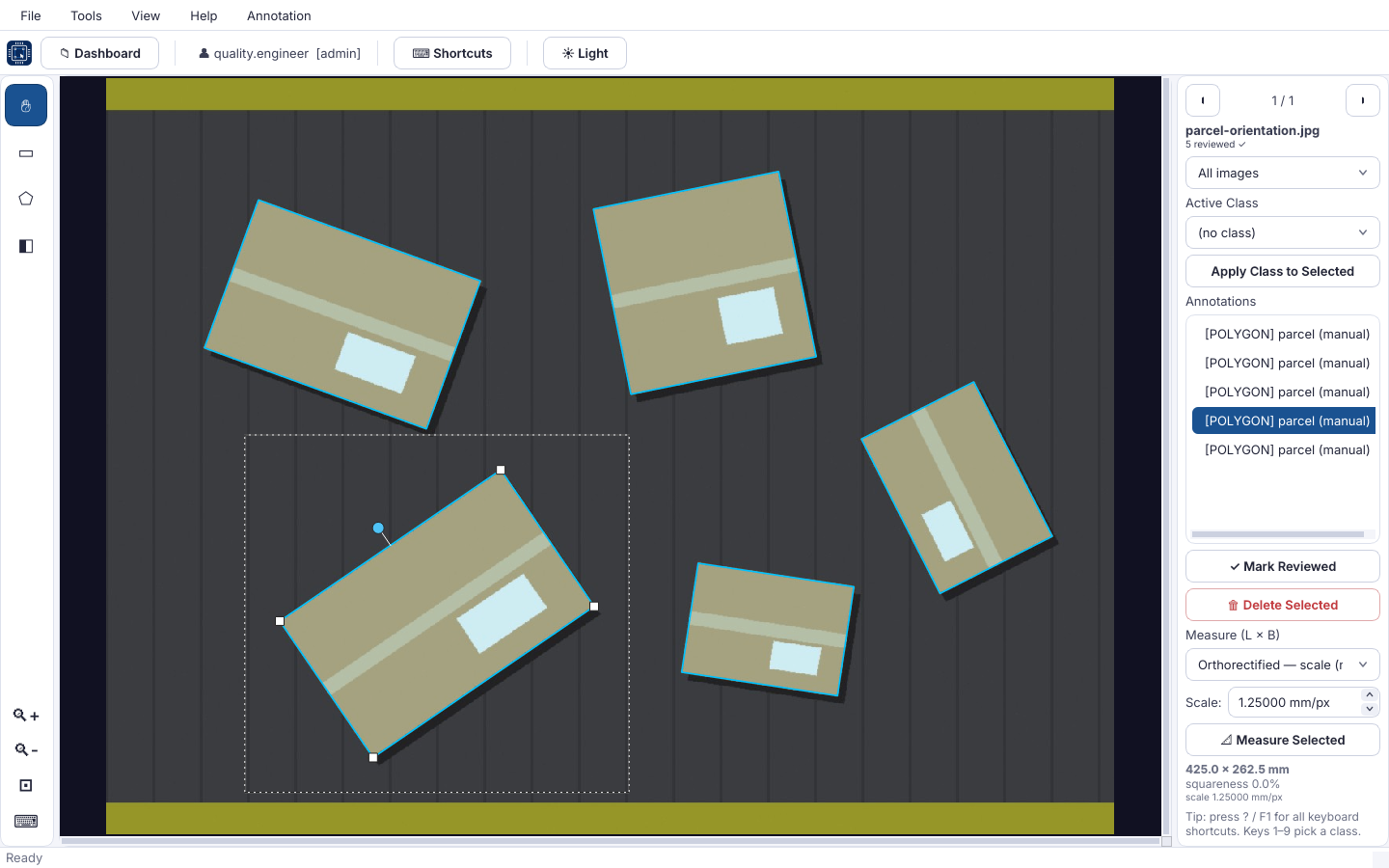
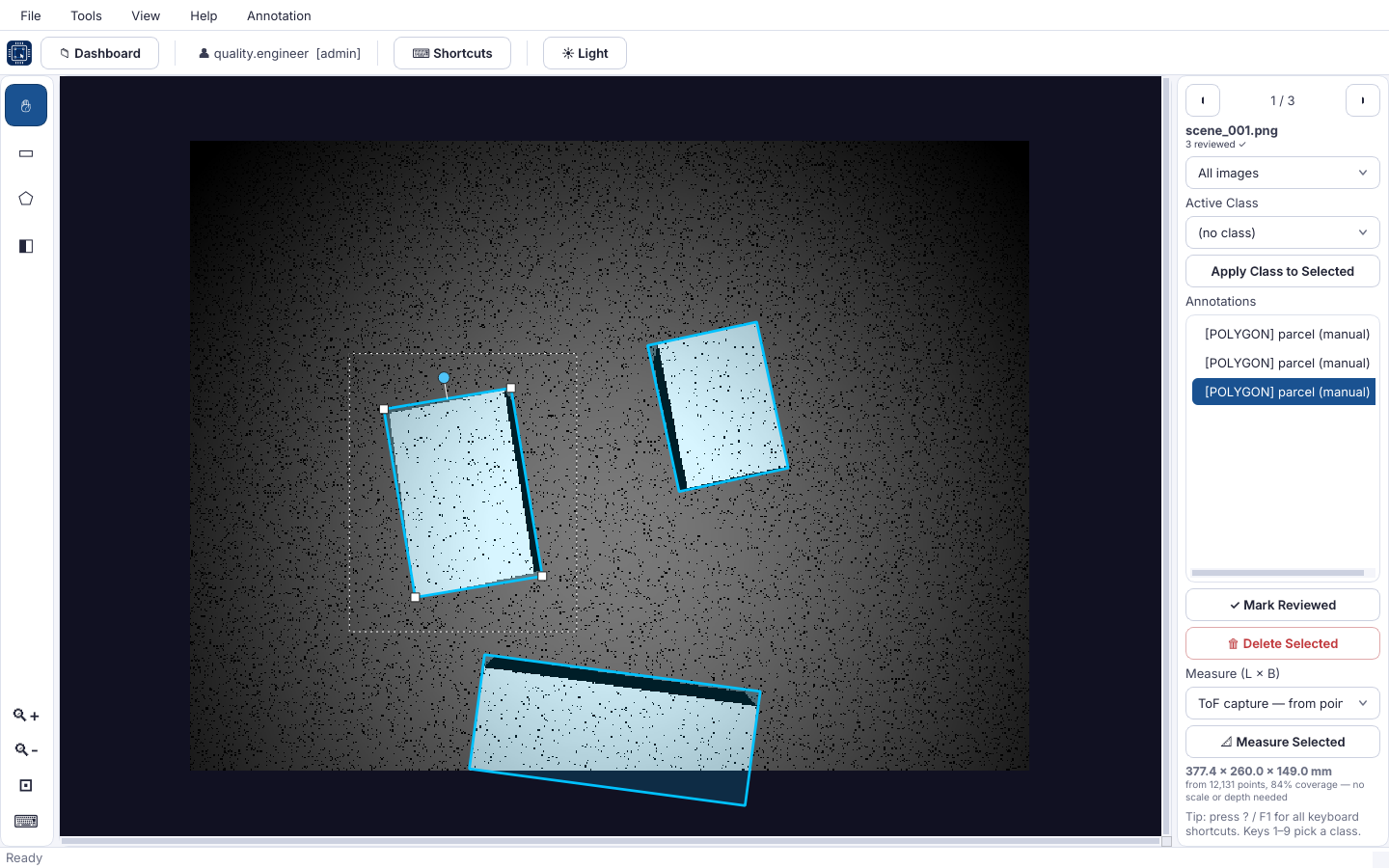
3D. On a ToF capture, choose ToF capture — from point cloud and click Measure Selected. Length, breadth and height come from the points under the outline, with the number of points used and the coverage.
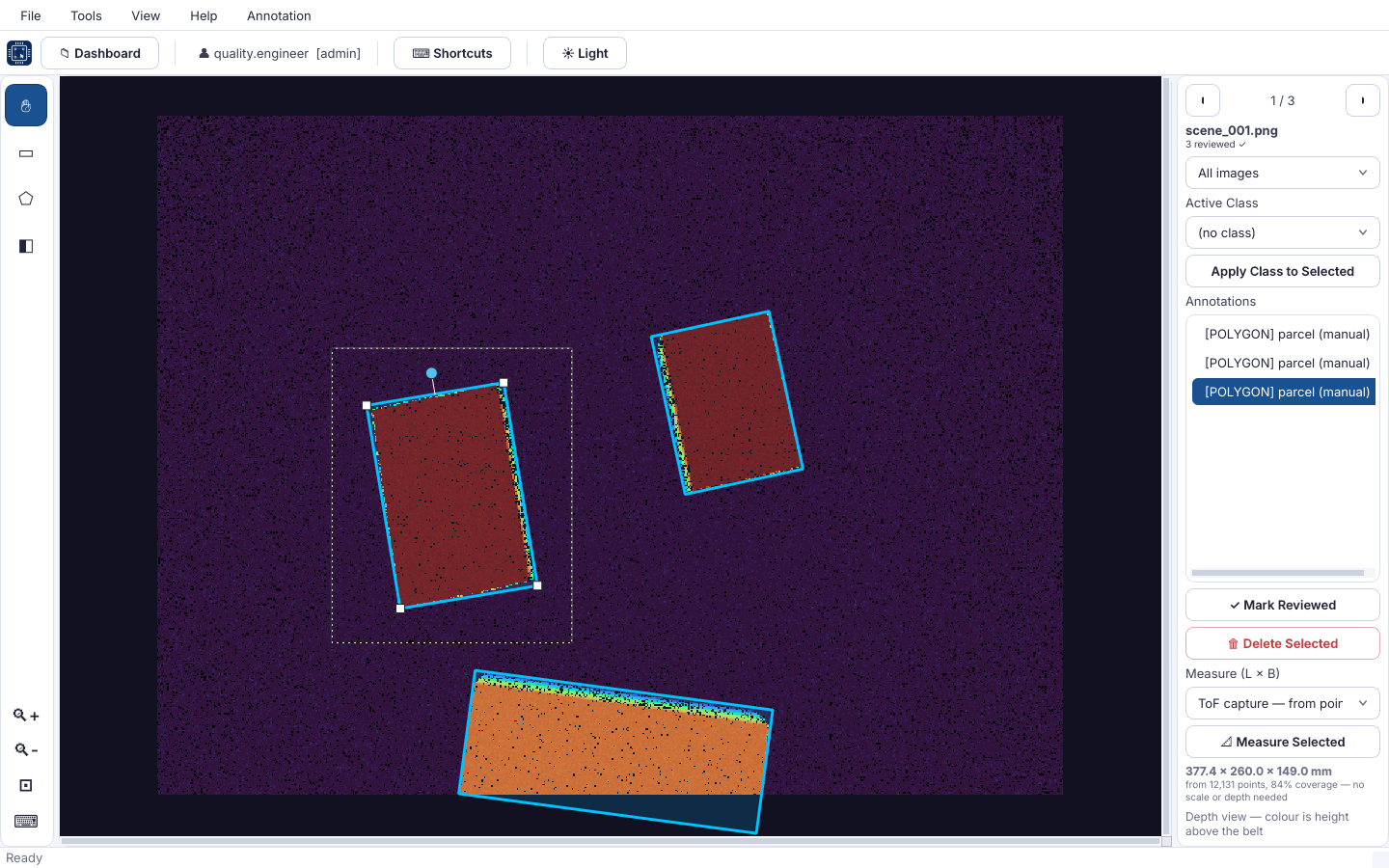
View ▸ Depth View (D) colours the image by height above the belt. Use it to check that every parcel stands clear of the belt and of its neighbours.
Note
The screenshots use a simulated ToF capture and drawn parcels. The values in them are not accuracy figures.
Accuracy
Accuracy depends on the camera, its mounting height and angle, the calibration, and the parcels themselves. It is established for each installation during commissioning, by measuring a set of parcels with a tape and comparing.
Some parcels are hard to measure, whichever camera is used:
- black, very dark or shiny wrap, which returns few ToF points;
- loose flaps and straps, which make a parcel read long;
- very thin parcels and envelopes, in 3D;
- parcels touching each other.
Model Bench warns when a 3D measurement is unreliable. It warns when less than 55 % of the outline returned depth, when the parcel runs off the edge of the sensor, and when the top surface is uneven.
Not certified for trade use
The system is not a certified (legal-for-trade) dimensioner. Do not use its measurements to bill customers where the law requires a certified device.
Draft
Visual Detector is in preview; see its overview. To be confirmed before release: the Data Layer fields for dimensions and barcode, the barcode types read, and the throughput per conveyor.
Related: Use cases, Editions, Export targets.