Data Layer commands
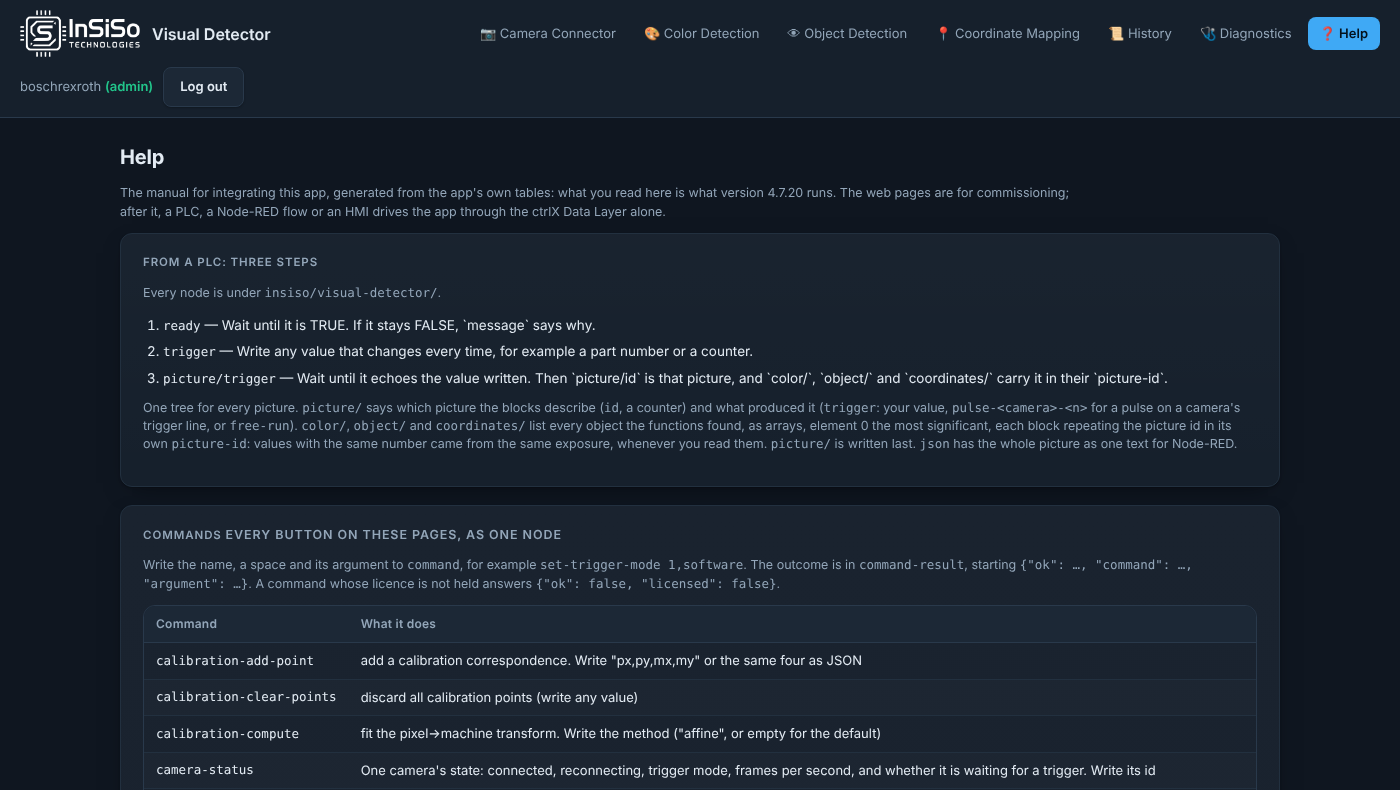
Every button in the app's pages can also be pressed by a PLC, Node-RED or another ctrlX app, through one Data Layer node:
insiso/visual-detector/command         write: the name, a space, the argument
insiso/visual-detector/command-result  read:  the answer, as JSON
For example set-trigger-mode 1,software, or configure-detector {"id": "model-1", "active": false}. The argument is the same JSON or comma-separated text the button sends. Leaving a field out gives the button's default.
command-result starts {"ok": ..., "command": ..., "argument": ..., "at": ...}, so a PLC's 255-character string functions see it. With "ok": false, "error" says why in plain words. A command whose function is not licensed also says "licensed": false. The answer belongs to your write once it names your command and its at differs from before you wrote. Commands run one at a time, in the order written.
Writing list-commands returns every name. The tables below are the commands of version 4.7.21, taken from the app's own command table. The app's Help page always lists those of the installed version, including the parcel cell commands of the Parcel Tracking licence, which this manual does not describe.
Cameras
| Command |
What it does |
Licence |
connect-camera |
Connect a camera. Write the source — a USB index ("0"), "genicam:<n>", or an rtsp:// / http:// URL — or JSON {"id": 2, "source": "0"} to put it in a particular slot. Without an id it takes the next free one |
Camera Connector |
disconnect-camera |
Disconnect a camera. Write its id ("2") or JSON {"id": 2}; write any non-numeric value for the selected camera |
Camera Connector |
scan-cameras |
Scan for cameras (write any value); command-result lists what was found |
Camera Connector |
trigger-camera |
Take one picture now on one camera and run its detectors. Write a camera id ("2"); the answer is in command-result. To get picture/ and the blocks, write trigger |
Camera Connector |
trigger-all-cameras |
One picture on every connected camera at the same moment, every detector once. command-result lists each camera's frame number and the spread between their exposures (skew_ms). The trigger node does the same and also publishes the picture |
Camera Connector |
set-trigger-mode |
Set when a camera produces pictures. Write JSON {"id": 2, "mode": "software"} or "2,software". Modes: free-run (every cycle), software (one per trigger), hardware (the camera's own trigger line; GenICam cameras only) |
Camera Connector |
save-picture |
Save a picture now. Write a camera id ("2") or any other value for the selected camera; the file lands in the device's capture buffer |
Camera Connector |
saved-pictures-config |
Configure saved pictures. Write JSON with any of on_detection, classes, mode (raw|annotated|both), max_captures, max_megabytes, min_interval_seconds, jpeg_quality, folder ("" for the device's storage, or an absolute path on a mounted drive under /media, /mnt or /run/media), every_picture (true saves every picture, at most one every min_interval_seconds, and only to a folder on a mounted drive) |
Camera Connector |
delete-saved-pictures |
Delete saved pictures. Write a camera id ("2") or any other value for all of them |
Camera Connector |
camera-status |
One camera's state: connected, reconnecting, trigger mode, frames per second, and whether it is waiting for a trigger. Write its id |
Camera Connector |
Detectors
| Command |
What it does |
Licence |
create-detector |
Create a detector instance. Write {"kind": "model", "camera": 1} or "model,1" |
Runtime |
delete-detector |
Delete a detector instance. Write its id |
Runtime |
configure-detector |
Change a detector. JSON with its id and any of model, camera, active, confidence, read-codes, code-depth, e.g. {"id": "model-1", "active": false} |
Runtime |
pause-detector |
Pause one detector, as unticking Detect objects on Object Detection does. Write its id, e.g. model-1. Not remembered: resume-detector or the next restart resumes it |
Runtime |
resume-detector |
Resume a paused detector. Write its id, e.g. model-1 |
Runtime |
detector-status |
One detector's state: camera, model, active, paused, and what it runs on (cpu, cuda, tensorrt or hailo). Write its id, e.g. model-1 |
Runtime |
select-model |
Load a model by file name on the Object Detection page |
Object Detection Model |
detect-once |
Run one detection now. Write "color" or "model" to choose the detector, or any other value to use the loaded model if there is one and color detection otherwise |
Object Detection Model |
start-stream |
Start continuous model inference. Write the source — a USB index ("0") or an rtsp:// / http:// URL |
Object Detection Model |
stop-stream |
Stop continuous model inference (write any value) |
Object Detection Model |
set-confidence |
Set the detection confidence threshold. Write a number between 0 and 1 |
Object Detection Model |
set-classes |
Rename the model's output classes. Write a comma-separated list in class-index order |
Object Detection Model |
set-class-overlap |
One object, one box. Write "on" to drop a box that overlaps a more confident box of a different class, "off" to report both, or the overlap threshold (0.05-0.95, default 0.6) to switch it on at that value. Applies to every model on the device and is remembered across restarts |
Object Detection Model |
reset-timings |
Zero the performance statistics including min/max (write any value) |
Object Detection Model |
Color
| Command |
What it does |
Licence |
create-color |
Add a color to a color detector. Write JSON {"id": "color-1", "label": "carton", "h": [10, 30], "s": [80, 255], "v": [70, 255]} or "color-1,carton". It is appended, so existing colors keep their addresses |
Color Detection |
delete-color |
Remove a color. Write JSON {"id": "color-1", "color": 2} or "color-1,2". The colors after it move down one address |
Color Detection |
color-config |
Apply color settings. Write JSON with any of ranges, min_area, max_detections, blur |
Color Detection |
Calibration
| Command |
What it does |
Licence |
calibration-add-point |
Add a calibration correspondence. Write "px,py,mx,my" or the same four as JSON |
Position / Coordinate Mapping |
calibration-clear-points |
Discard all calibration points (write any value) |
Position / Coordinate Mapping |
calibration-compute |
Fit the pixel->machine transform. Write the method ("affine", or empty for the default) |
Position / Coordinate Mapping |
convert-to-mm |
Convert a pixel coordinate to machine mm. Write "px,py" or JSON {px, py} |
Position / Coordinate Mapping |
convert-last-detection |
Convert the most confident recent detection's centre to machine mm (write any value) |
Position / Coordinate Mapping |
Detection history
| Command |
What it does |
Licence |
history-mark |
Write the current detections to the detection history now. Write any value, or a short note to store with the row |
Detection History |
history-config |
Configure the detection history. Write JSON with any of enabled, max_rows, max_megabytes, move_px, heartbeat_seconds, storage_path. storage_path is where the database is kept: empty for the device's own storage, or a directory under /media, /mnt or /run/media for a mounted drive. Changing it moves the existing history with it |
Detection History |
history-clear |
Delete every recorded detection (write any value). Cannot be undone — export the CSV first |
Detection History |
Live previews and the app
| Command |
What it does |
Licence |
start-detection |
Start the headless detect-and-publish loop (write any value) |
InSiSo Visual Detector (base runtime) |
stop-detection |
Stop the headless detect-and-publish loop (write any value) |
InSiSo Visual Detector (base runtime) |
datalayer-verify |
Read every node back from the device and report what it holds (write any value) |
InSiSo Visual Detector (base runtime) |
list-commands |
Every command name |
Runtime |
performance-status |
Each camera's frame rate and the loop's cycle time per stage, against the normal learnt in its first minute, with the last slowdown and what grew (write any value). The watchdog logs a slowdown held for ten seconds |
Runtime |
reset-performance |
Clear every camera's maximum processing times and its normal, which is then learnt again over the next minute (write any value). Answers like performance-status |
Runtime |
Diagnostics (free)
| Command |
What it does |
Licence |
recorder-start |
Start recording. JSON as the page sends it: {"tof_camera", "label_camera", "root", "tag", "window_ms", "every_s", "max_gb", "make_3d"} |
Diagnostics |
recorder-stop |
Stop recording (write any value) |
Diagnostics |
recorder-tag |
Tag what is being recorded. Write the tag |
Diagnostics |
recorder-sessions |
List recorded sessions. Write any value, or JSON {"root": "<USB drive>"} |
Diagnostics |
recorder-delete |
Delete a recorded session. Write its name, or JSON {"name", "root"} |
Diagnostics |
storage-list |
What the app has stored, by kind, with sizes and free disk (write any value) |
Diagnostics |
storage-delete |
Delete one stored item. Write "kind,name" or JSON {"kind", "name"}. Kinds: models, pictures, recordings, label-bench, uploads, videos, parcel-cell, history ("history,detection-history.db" clears the Detection History). Anything in use is refused, with why |
Diagnostics |
storage-delete-all |
Delete every item of one kind that is not in use. Write the kind |
Diagnostics |