Diagnostics
Diagnostics answers "would a trigger work, and if not, why?" It also shows the licence, the performance per picture, the accelerators and the storage, and gives the file to send to support.
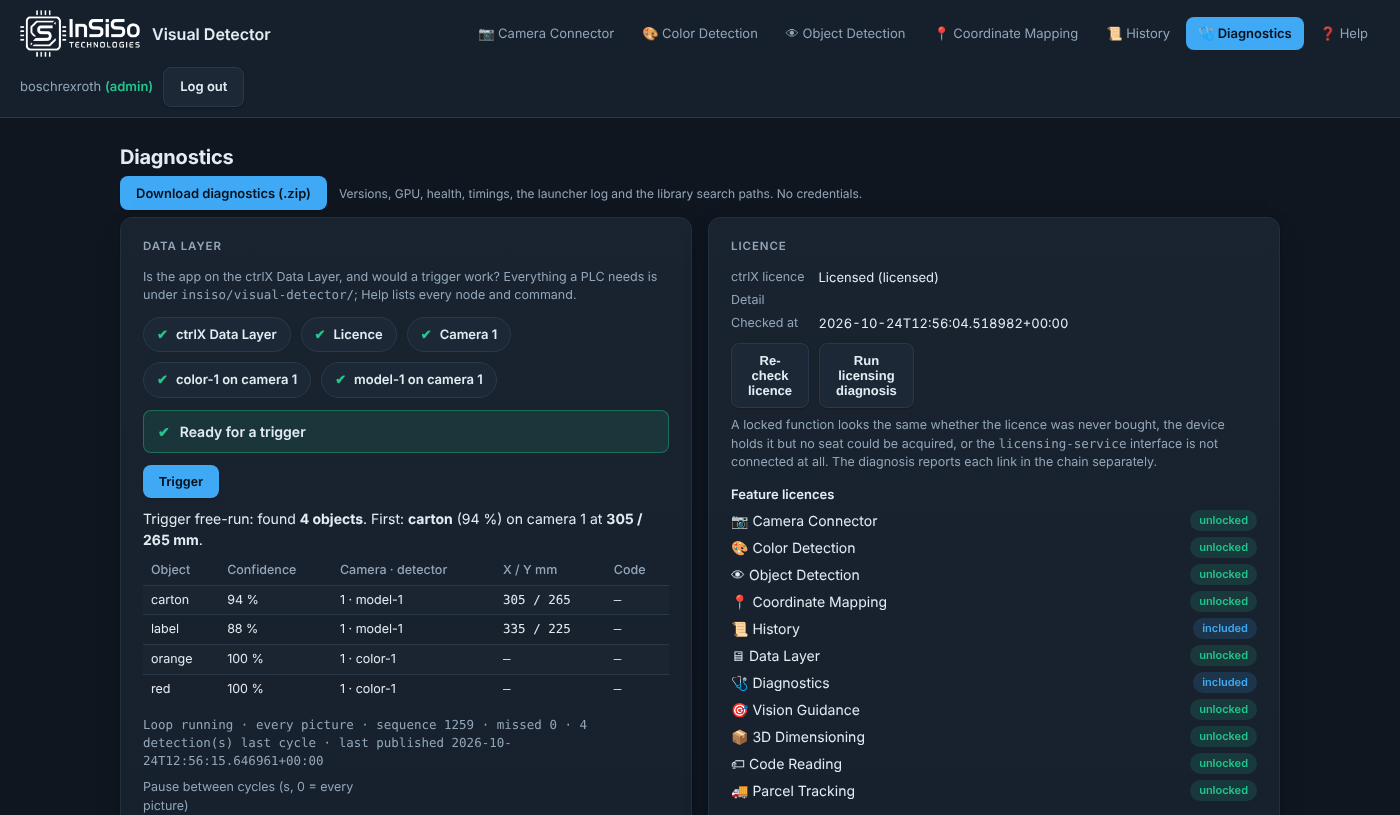
Data Layer
The chips at the top answer one question each: ctrlX Data Layer, Licence, each camera and each detector. A ✘ says why and what to do. Ready for a trigger means a PLC's trigger will work now.
Trigger writes the Data Layer's trigger exactly as a PLC would, and shows the answer: every object found, its confidence, its camera and detector, its machine position and any code read. If this button works, a PLC can do the same.
Pause between cycles (s, 0 = every picture) slows the free-run loop, for example to save CPU. A PLC can stop the loop with the command stop-detection; a reboot always starts it again.
Licence
ctrlX licence shows the platform licence state. Feature licences lists every function as unlocked, included or locked. Re-check licence asks the License Manager again. Run licensing diagnosis shows each licence, whether the device holds it, and why a seat could not be taken. See Licensing.
Performance
Performance shows how long each picture takes, step by step, per camera: Acquire image, Detect colors, Detect objects, Store image, Publish to the Data Layer and the rest. Each camera's normal is learnt in its first minute. A frame rate below 70 % of normal, or a picture twice as slow, held for ten seconds, is logged as a slowdown that names the step that grew. Reset max and normal starts the measurement again.
Accelerators
NVIDIA GPU and Hailo say which processor the loaded model runs on, and why. They show the driver version on the device and the versions the snap carries. A model on the CPU when you expected an accelerator is explained here. See System requirements.
Storage
Storage shows what the app has stored on the device: models, saved pictures, the detection history and recordings, with sizes and free disk. Each kind can be deleted. Deleting cannot be undone, and anything in use cannot be deleted.
For support
Download diagnostics (.zip) downloads versions, the GPU and Hailo state, health, timings, the start-up log and the library search paths. It contains no credentials. Send it with every support request; see Support.