Camera setup
Visual Detector supports up to 4 cameras per device.
Industrial cameras (GenICam / GigE Vision)
- Connect the camera to an Ethernet port of the ctrlX device. Use PoE or a separate 24 V supply.
- Set the camera and the device port to the same subnet.
- In the Visual Detector web interface, add the camera and select it from the discovered list.
USB / UVC cameras
Standard USB / UVC cameras are supported for prototypes and low-cost stations. Plug the camera into the device and select it in the web interface.
Triggered capture
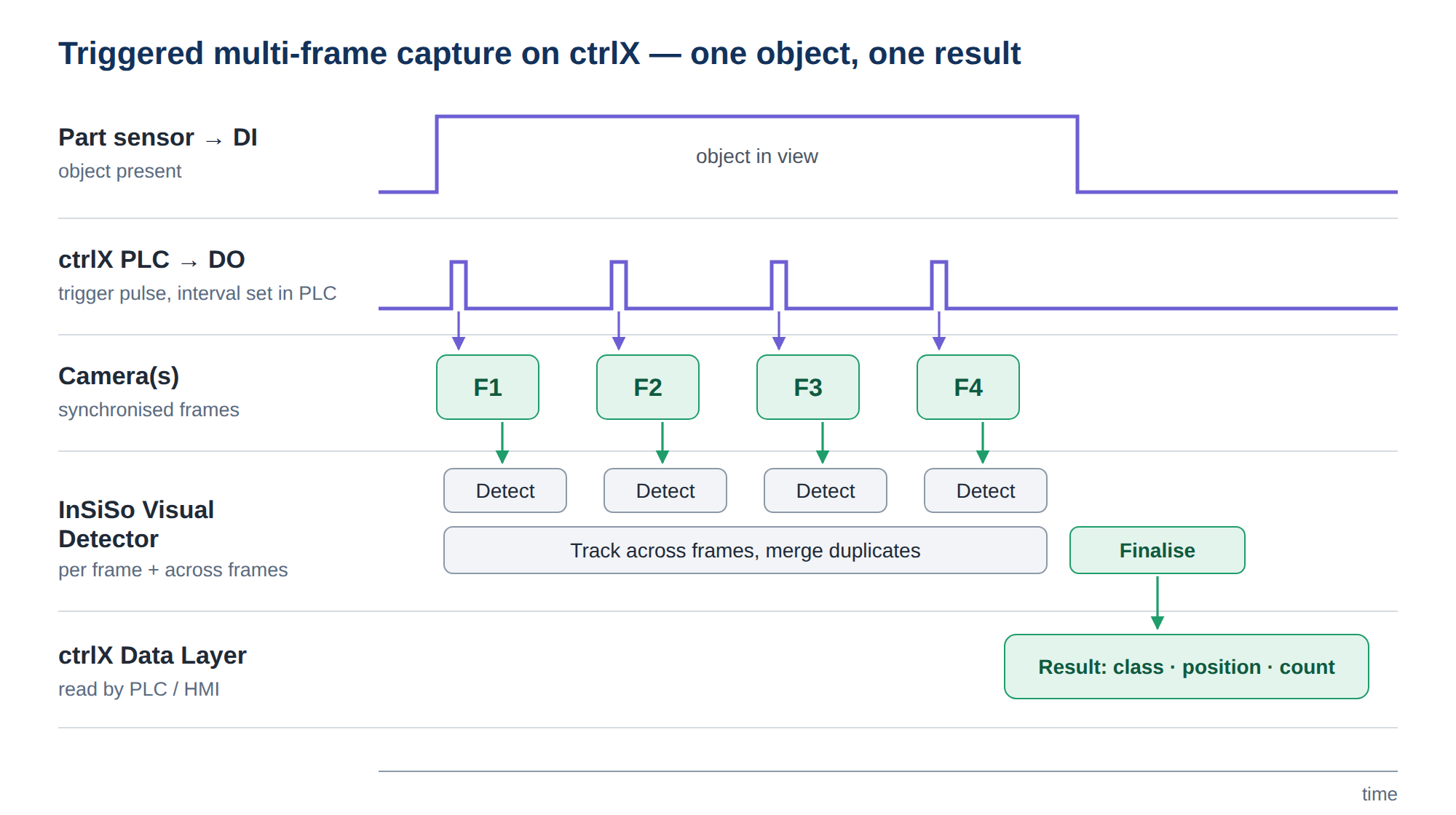
A part sensor on a ctrlX digital input can start capture, with the ctrlX PLC firing one trigger edge to all cameras.
Screenshot V3 — to come
Camera settings page with one GigE camera connected.